
I am reaching out, as I wondered if it was possible to have [my students'] Semester 1 Report forms e-mailed to me. I can't seem to find them and must have misplaced them. Or can I find them on their sites?
If you cannot find the original email with the link to your forms, you will always find them in your Private Family Folder on the STAA Student Zone. Your folder holds the personalized documents your advisors have prepared for your family, ready to view, download, and print whenever you need them.
What You Will Find in Your Private Family Folder
Your folder is where your advisors and the support staff place documents that belong to your family alone:
- Your invoices
- Academic Packets
- Planning Packets
- Personalized semester report forms
- Draft copies of transcripts and other planning documents prepared for your family
The St. Thomas Aquinas Academy staff will email you each time something new is added to your folder, so you will know when a document is waiting for you.
Find Your Private Family Folder
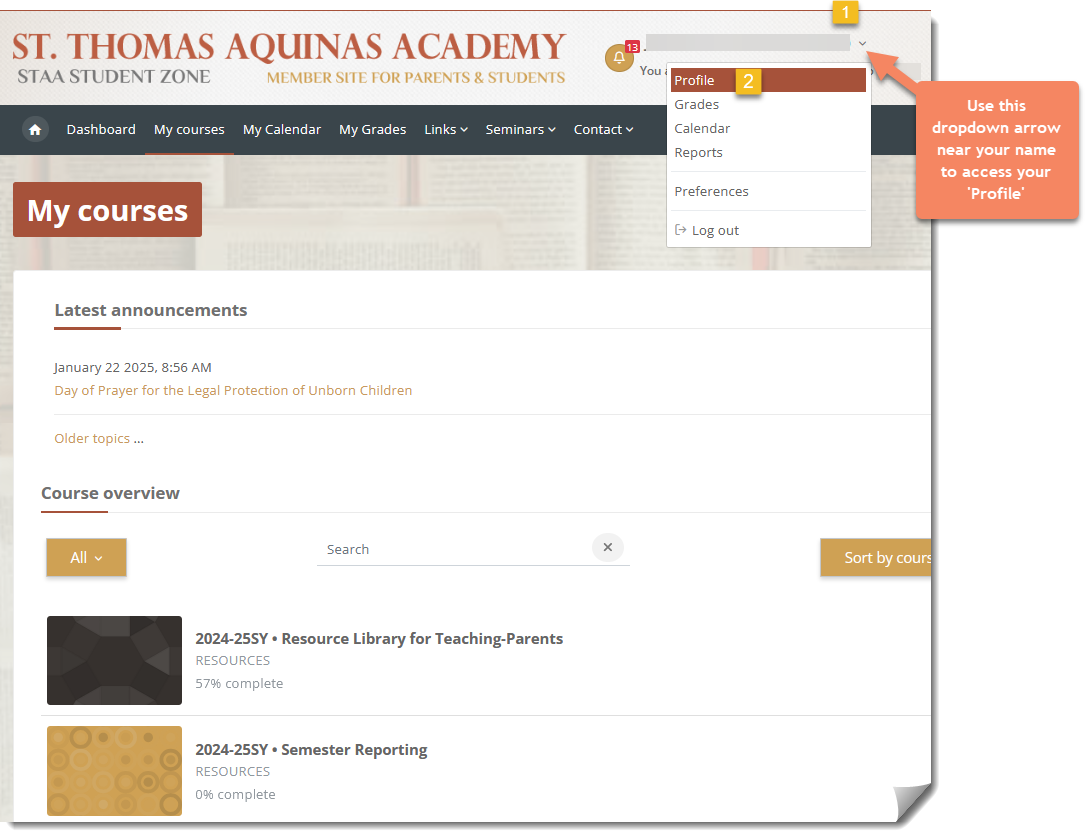
Start by signing into the member site with your teaching-parent account, click on the dropdown arrow by your name, and click on ‘Profile.’
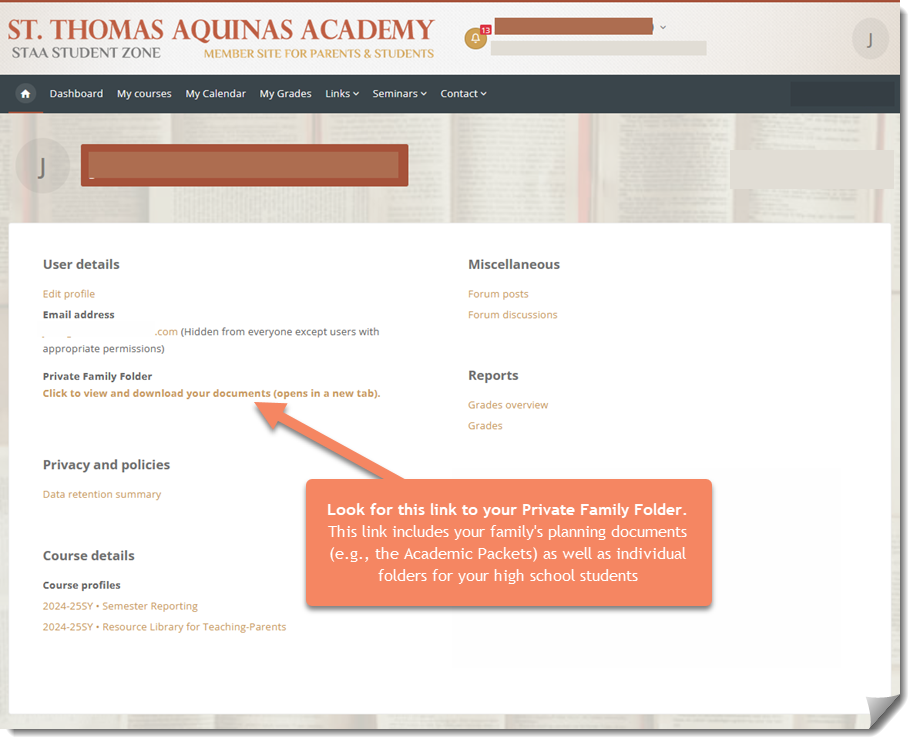
On your Profile page, look for the folder link.
View, Download, and Print
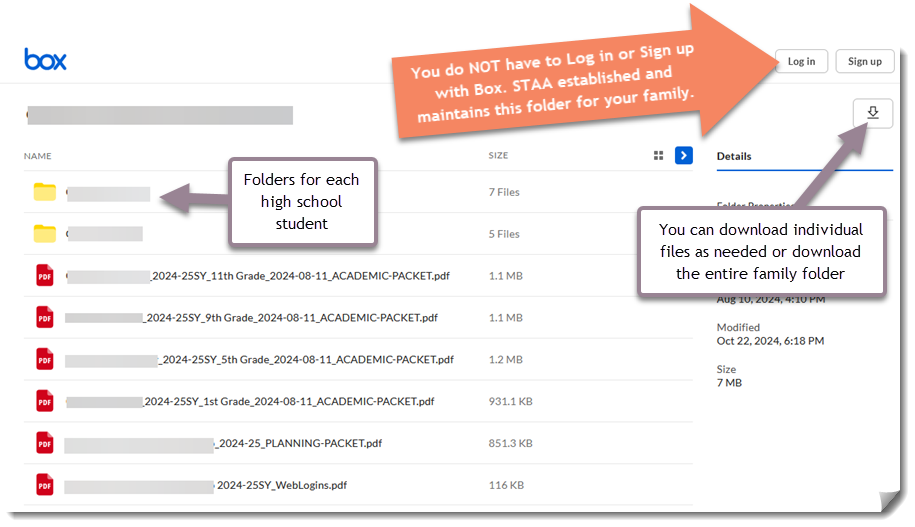
When you follow the link, you will see all of the planning and reporting documents prepared for your family. Your Private Family Folder is a delivery folder: it is view and download only, and it is maintained on your behalf by your advisors and the support staff at St. Thomas Aquinas Academy. Nothing can be uploaded, edited, or added to it from your side, so completed paperwork travels back to us another way.
Where to Send Documents Back to Us
Official student paperwork is uploaded through the Student Zone, on the Semester Reporting page, while the student is signed in to the website. Signing in attaches that student's own name and account to every document uploaded. This keeps one student's official paperwork from becoming tangled with a sibling's or another family's, and it keeps official records out of email, where a document can be lost in the shuffle of a busy inbox or may carry personal information that email is not the proper channel to relay.
Each school year, after your Course of Study Planning appointment, please send in your Course Registration Form as well. You may mail it to the Academy, or upload it through our dedicated Course Registration Form upload.
Private Student Folder
The screenshots above show the view of a parent signed into the STAA Student Zone. If your student signs in and clicks on ‘Profile,’ the link will read Private Student Folder instead. Each student has access only to his own folder; students cannot open their family’s folder or a sibling’s folder. Documents follow the person they belong to, which is the same reason official paperwork is uploaded while the student is signed in.
Resources and Related Reading
- Semester Reporting page on the Student Zone
- Course Registration Form upload
- Frequently Asked Questions About Registering for Courses
- STAA Handbook, Part 3: Semester Reporting, available at staahomeschool.com/handbook